

For sales and marketing teams who want every website enquiry answered quickly and personally.
The problem
New website leads sit in the CRM. Someone has to research the company, decide if it fits and pick an owner. By then the reply is often slow and generic.
How lead triage works
- Connect once. Sign in to HubSpot, Mailchimp, Outlook and Teams on the Connectors page.
- Add your ideal customer. Upload your sales playbook to Knowledge: who you sell to, what you offer and who owns which territory.
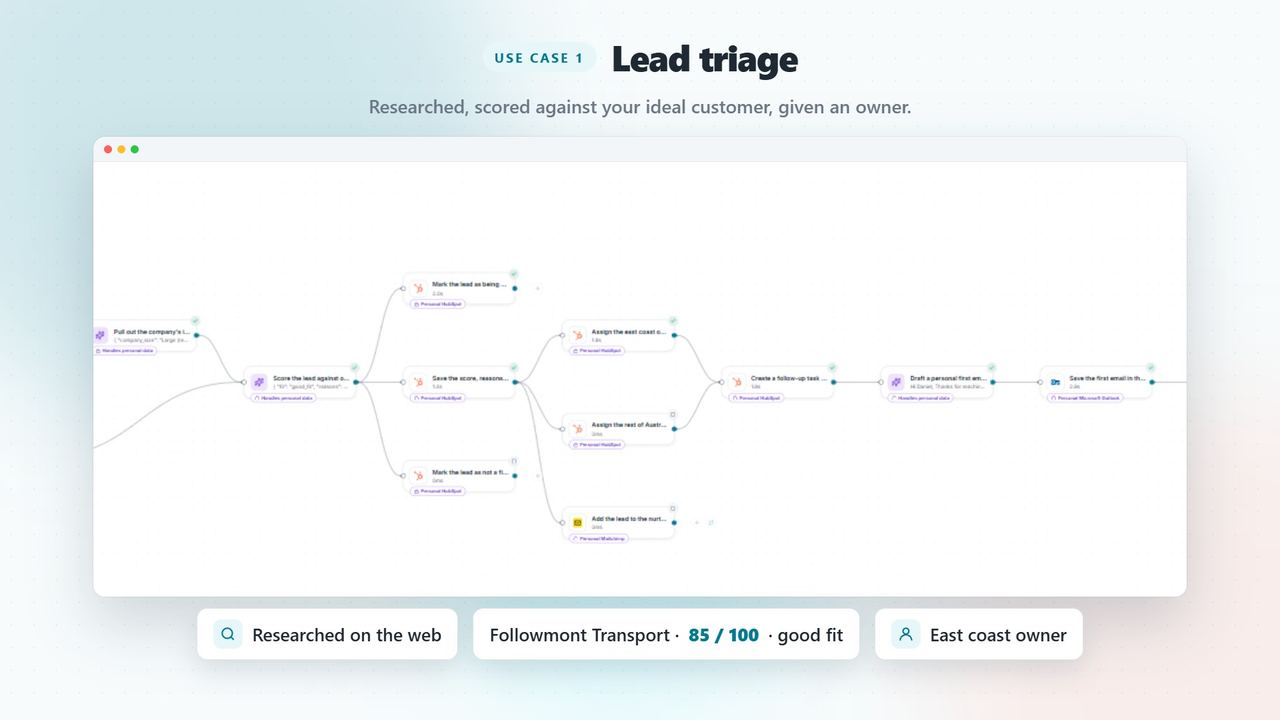
- Research and score. For each new form lead, Agento searches the web for the company and scores the lead from 0 to 100 against your playbook, with reasons.
- Owner and task. A good fit gets the right territory owner, a score note and a follow-up task in HubSpot.
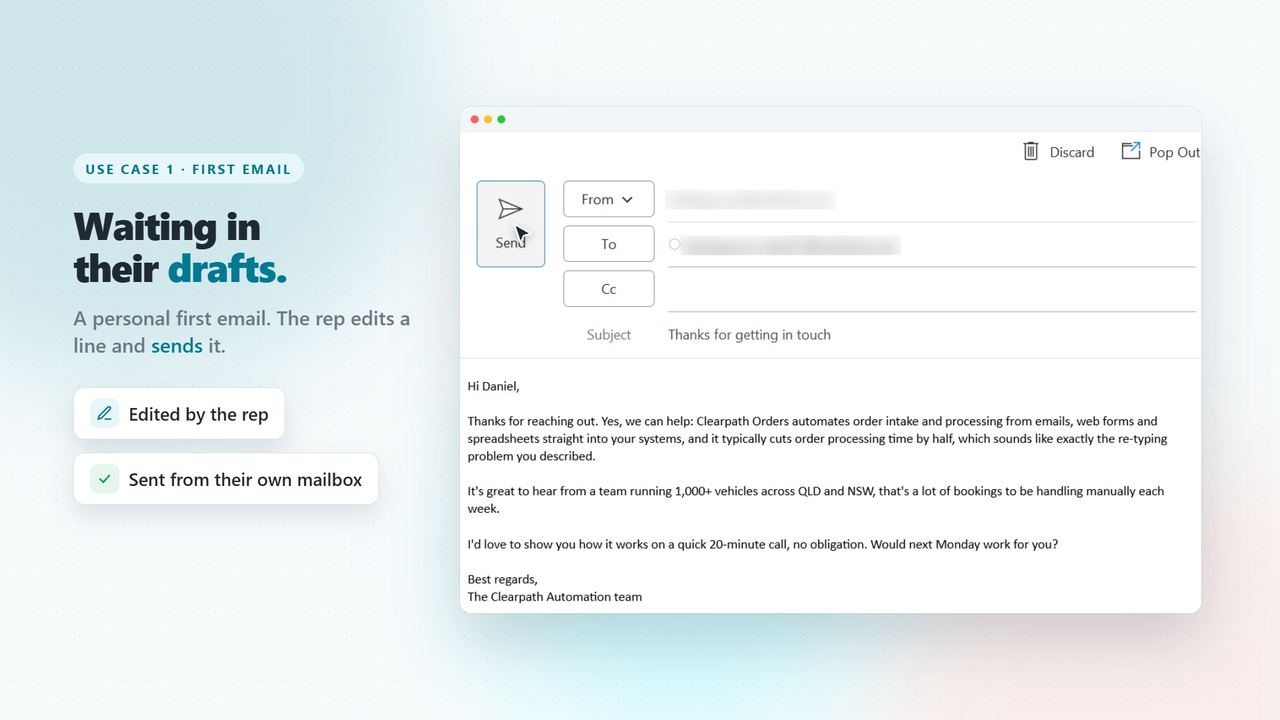
- A personal first email. Agento drafts a reply to what the lead actually asked and saves it in the rep's Outlook Drafts. The rep edits it and sends it.
- Not a fit yet. The lead joins your Mailchimp nurture list instead of being forgotten.
Follow up quiet leads
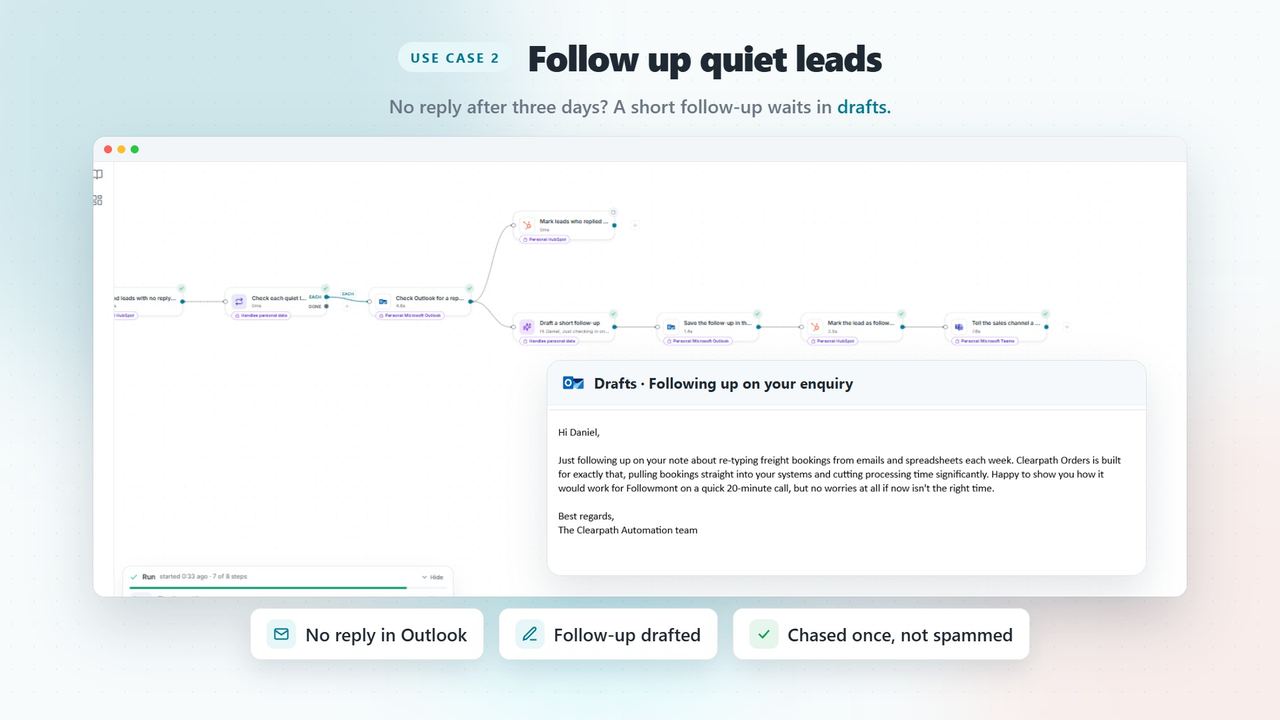
A second template finds leads with no reply after three days. If they replied in Outlook, the lead is marked Connected. If not, a short follow-up is saved to Drafts and the lead is marked so it is only chased once.
Nothing is sent without you
Agento writes the drafts; your rep reviews and sends them. Every email stays in Outlook Drafts until a person sends it, and the team gets a heads-up in Teams.
Frequently Asked Questions
Does Agento email leads automatically?
No. Every email is saved to the rep's Outlook Drafts, and the rep sends it.
Which tools does it use?
HubSpot, Microsoft Outlook, Microsoft Teams and Mailchimp, plus your ideal customer profile in Agento's Knowledge.