
What agents are
Helpers you set up once for one job, then talk to any time.
An agent is like a new teammate with one job. You tell it what the job is, which apps it may use and which documents it should know. Then anyone you choose can talk to it, in Agento's Chat, Teams, Slack, Discord, or from a simple link.
Agents, chats and workflows: what's the difference?
- Chat is for one-off questions and quick jobs. You explain everything each time.
- An agent remembers its job. "Answer questions about our HR policies" is set up once, and anyone can ask it questions any day.
- A workflow is a fixed list of steps that runs the same way every time, often by itself.
Ideas to get you started
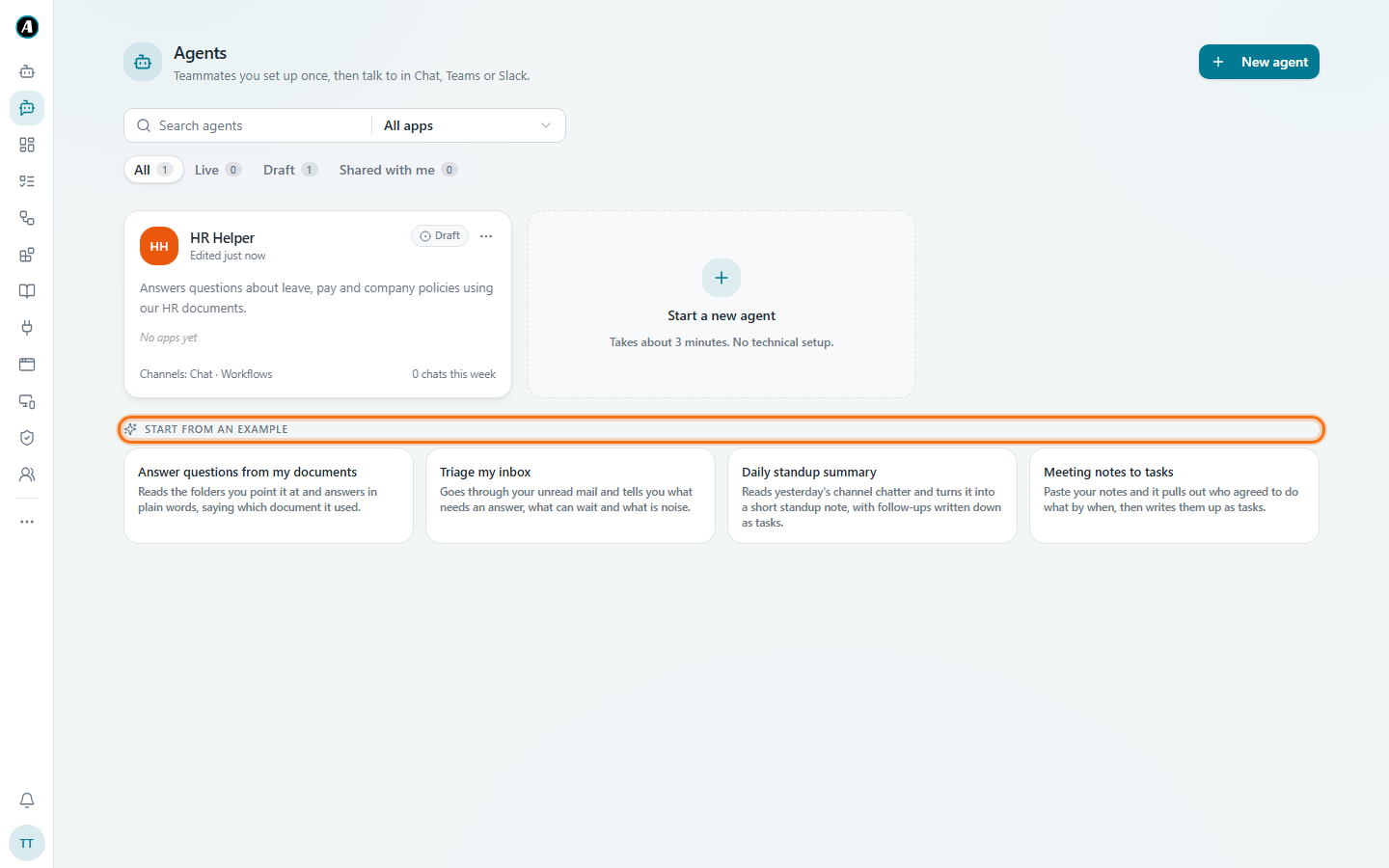
The Start from an example cards give you a head start:
- Answer questions from my documents: reads the folders you point it at and answers in plain words, saying which document it used.
- Triage my inbox: goes through your unread email and tells you what needs an answer, what can wait and what's noise.
- Daily standup summary: reads yesterday's channel chatter and turns it into a short note with follow-ups.
- Meeting notes to tasks: paste your notes and it pulls out who agreed to do what by when, then writes them up as tasks.
The tabs on the Agents page
- Live agents are switched on and ready to talk.
- Draft agents are still being set up. Only you can see them.
- Shared with me are agents a teammate made and shared with you.
Examples
An HR helper for the whole company
Job: answer questions about leave, pay and company policies.
Apps: none. Knowledge: the HR policy documents.
In real life: someone asks in Teams, "How many sick days do I get?" The agent answers in plain words and says which policy document the answer came from.
An inbox helper just for you
Job: go through my unread email every morning and tell me what needs a reply.
Apps: your Gmail. Who can use it: only you.
In real life: you open Chat, pick the agent and type "what's urgent today?"
A sales helper inside workflows
Job: write a friendly follow-up email after each sales call.
Where: Inside workflows. A workflow hands it the call notes, and the agent writes the email for you to approve.
Good to know
- An agent can only use the apps you give it. An HR helper with only your HR documents can't read anyone's email.
- When an agent wants to do something important, like sending an email, it asks for approval first, just like a workflow.