
Testing and checking your triggers
Make sure a trigger works, and see what it has been doing.
A trigger you haven't tested is a trigger you can't trust. Here's how to check yours, and how to see what it's been up to.
Test it straight away
- For an app event, click Check now, look under Would fire on and click Test with this on a real item. Your workflow runs on it right now.
- For On a schedule, click Test run in the builder's toolbar. It runs the workflow straight away, without waiting for the scheduled time.
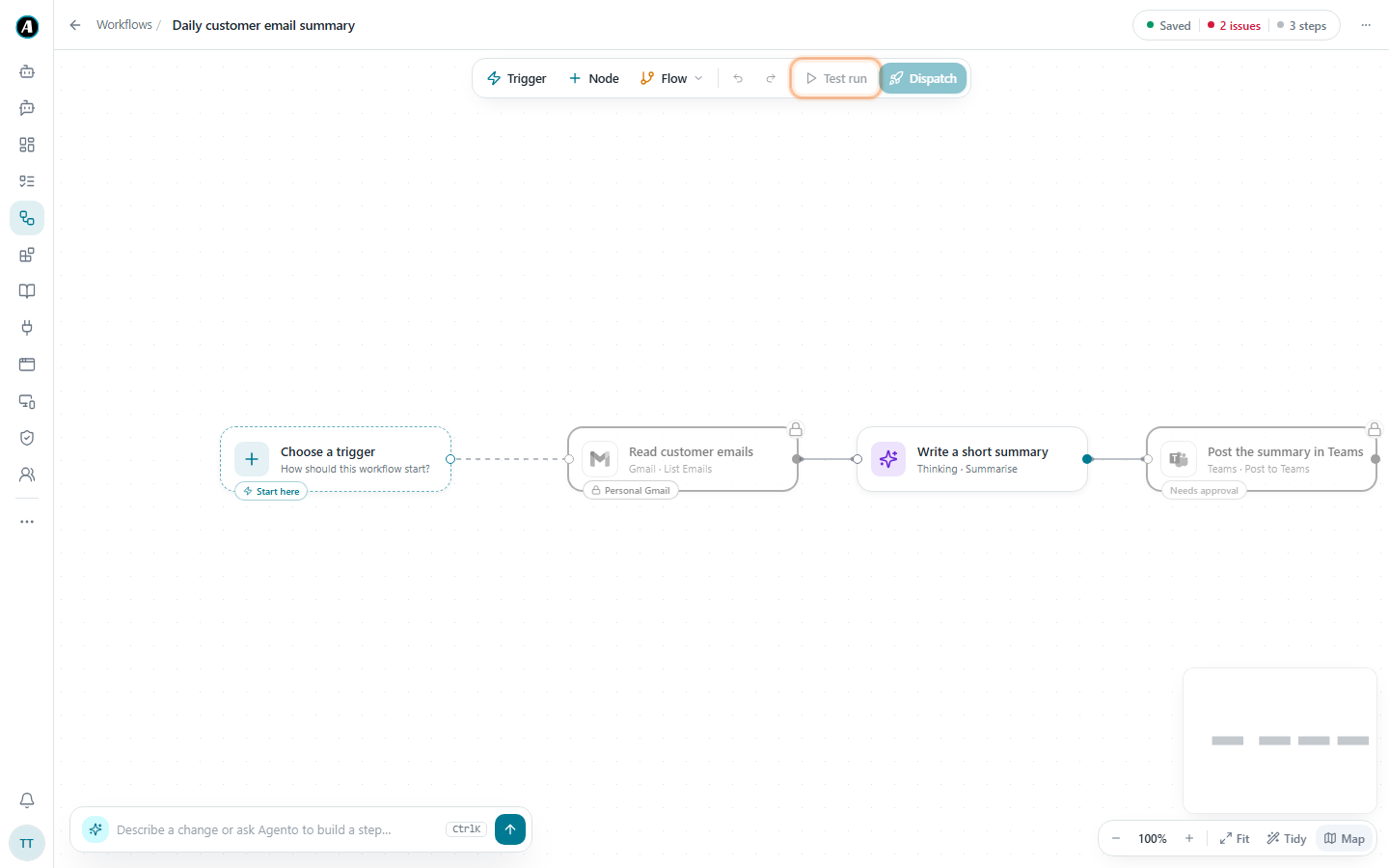
Do this every time you add or change a trigger, before you rely on it.
Is it working?
Each trigger shows how many times it has run, when it last ran, and when it will run next. If the last try went wrong, the reason is shown right under the trigger in plain words. For example, "Not authenticated" means an app needs to be connected again on the Connectors page.
What has it been doing?
Every run a trigger starts appears on the Tasks page, named after the workflow. Open any of them to see exactly what happened, step by step.
Examples
Testing a Gmail trigger in under a minute
You've just set up "when a new invoice email arrives". Click Check now. Under Would fire on you see last Tuesday's invoice from a supplier. Click Test with this. The workflow runs on that real email, and you can open the run on Tasks to check the result.
Testing a Monday 8am schedule on a Wednesday
Click Test run in the toolbar. The workflow runs straight away, exactly as it will on Monday morning. If it looks good, you're done. The schedule stays as it was.
"It ran 40 times overnight!"
Open Tasks and search for the workflow. If all the runs came from a trigger watching a busy inbox, the trigger is too broad. Narrow what it watches, for example only emails from one sender.
Good to know
- The switch next to each trigger pauses it or turns it back on straight away. A paused trigger remembers what it has already seen, so it won't start again for old items when you switch it back on.
- Deleting a trigger never deletes the runs it already started.