
Your workspace
Sending us feedback
Report a problem, share an idea, or ask a question.
Found a bug? Have an idea? Not sure how something works? Tell us. We read everything.
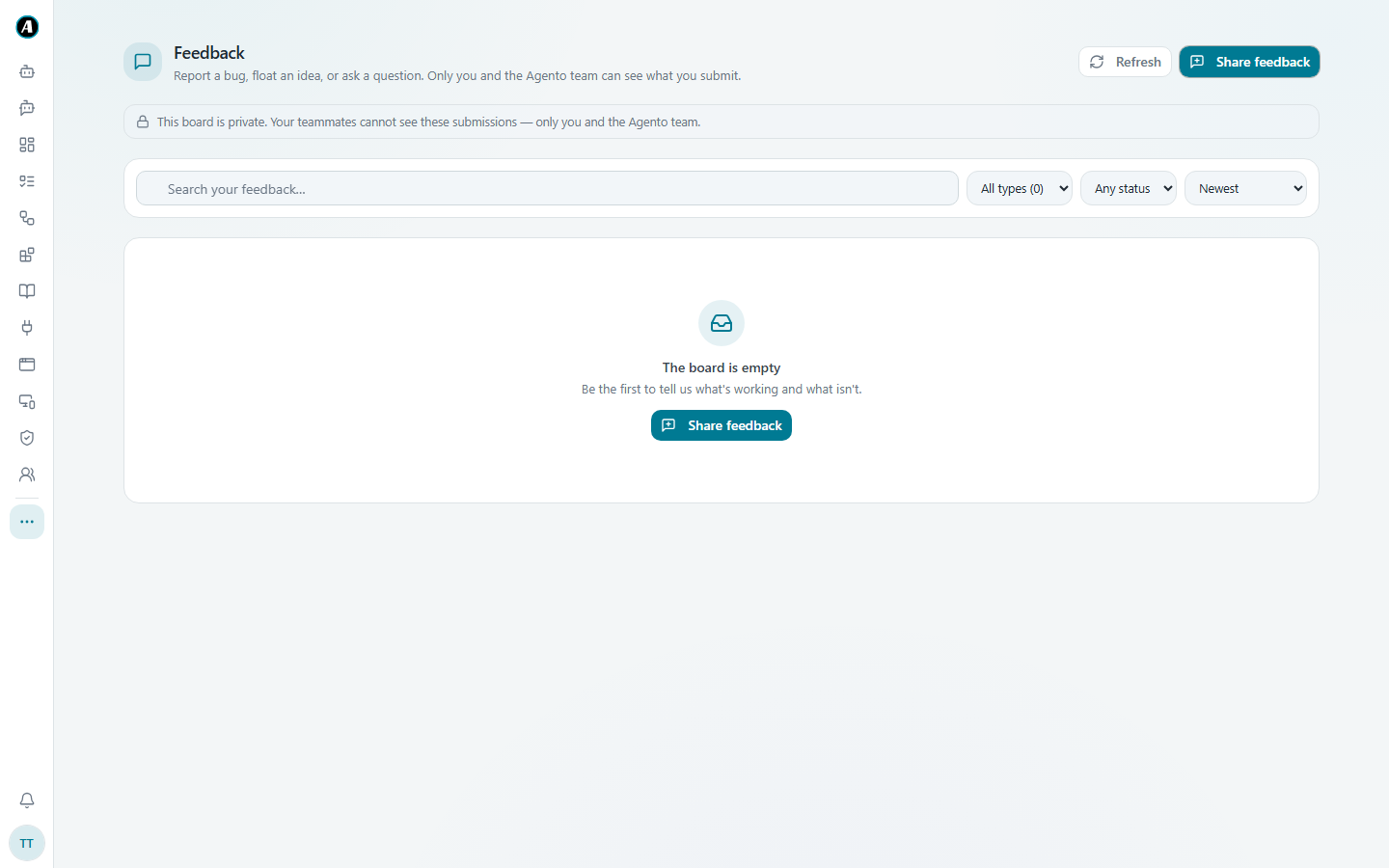
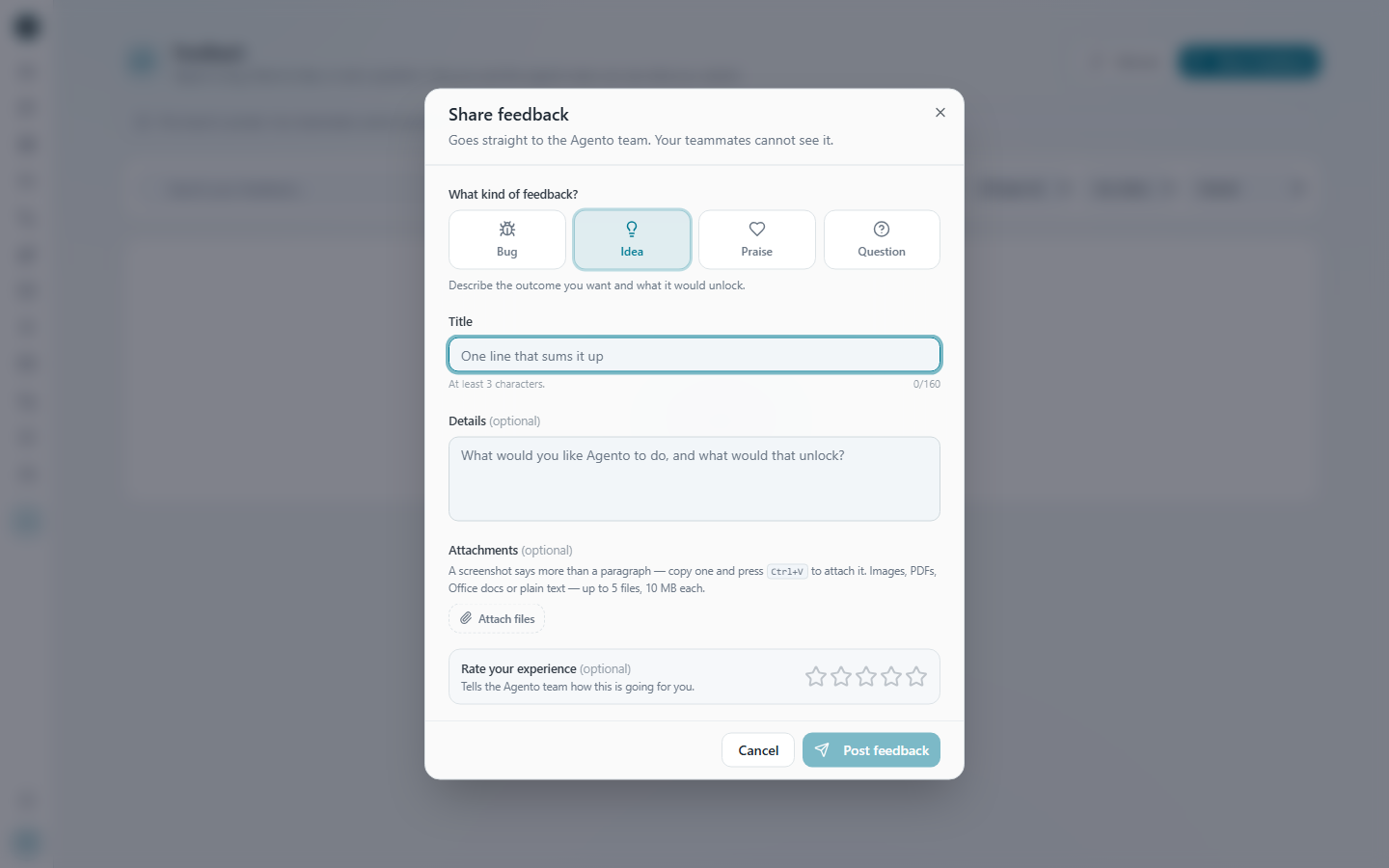
How to send feedback
- Open Feedback (under the three dots in the menu).
- Click Share feedback.
- Choose what it is: Bug, Idea, Praise or Question.
- Give it a one-line Title, then describe it in your own words under Details. A screenshot helps a lot for problems. Click Attach files, or copy a screenshot and press Ctrl+V.
- Rate your experience if you like, then click Post feedback.
Following up
Everything you've sent stays on the Feedback page. You can see its status as the Agento team works on it, and read our replies.
Examples of helpful feedback
A bug: "Title: Teams step fails on Monday mornings. Details: I tried to run Daily customer email summary. I expected a post in the Support channel. It failed with 'channel not found'. Screenshot attached."
An idea: "Title: Let me pick a Teams channel by searching. Details: we have 200 channels and scrolling takes ages."
Good to know
- Your feedback is private. Your teammates can't see it, only you and the Agento team.
- For a problem, the most useful things to tell us are: what you were trying to do, what you expected, and what happened instead.