
Using skills
Ready-made instructions for common jobs that you can reuse in chats, agents and workflows.
A skill is a set of expert instructions for one kind of job. "Find the risky clauses in a contract." "Pull the action items out of meeting notes." Someone has already worked out how to do the job well, so you get a reliable result every time.
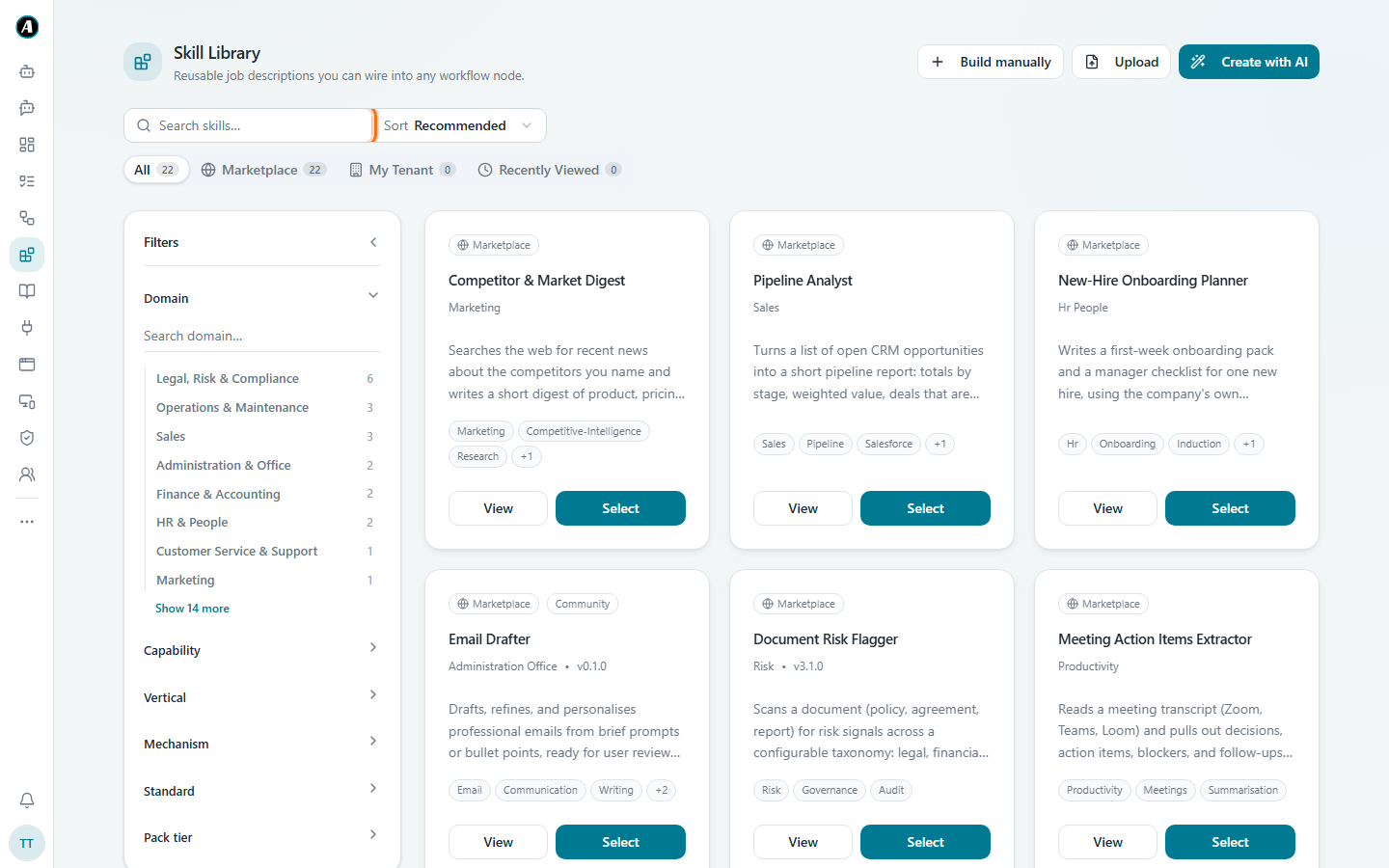
Finding a skill
- Click Skills in the menu.
- Search by what you need, like
invoiceorcontract. - Narrow the list with the filters on the left, like Domain (for example Finance or HR).
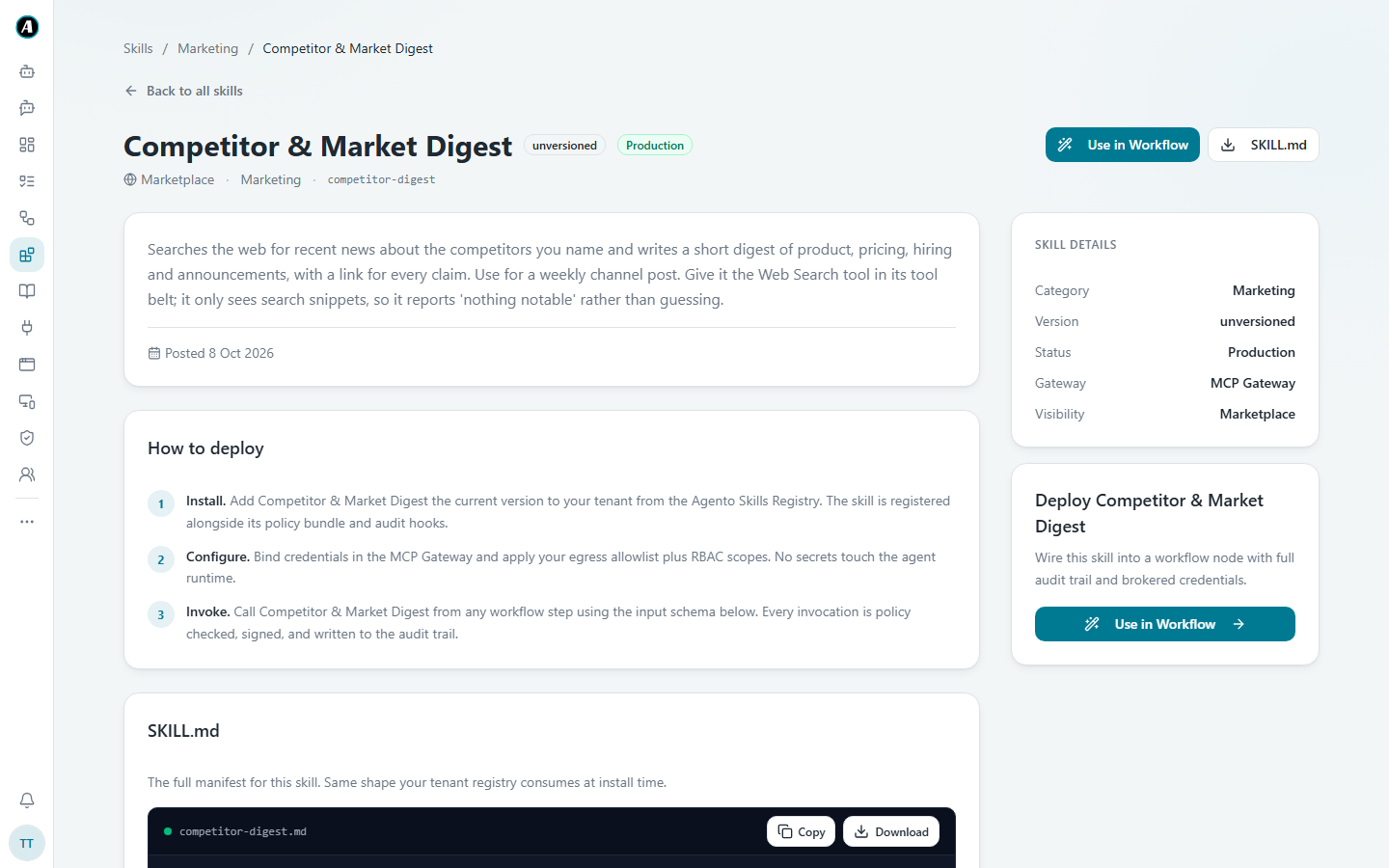
- Click View to read what a skill does, what it needs and what it gives back.
The tabs at the top help too:
- Marketplace shows skills made by Agento, ready for everyone.
- My Tenant shows skills made by people in your company.
- Recently Viewed shows the skills you looked at lately.
Using a skill
- In a workflow: click Select on the skill, or Use in Workflow on its page, or just describe the job when you build with AI. If a skill fits, Agento uses it as one of the steps.
- In Chat: click the book icon in the message box, tick a skill and click Done. Agento follows it for that conversation. See Chatting with Agento.
- In an agent: add it while setting up the agent.
Why use a skill instead of just asking?
A plain request does what you say, once. A skill comes with tested instructions, rules and a fixed shape for the answer. For jobs you do again and again, like checking expenses against your policy, a skill gives the same quality every time.
Examples
Checking expense claims
Pick the Expense Policy Checker skill. Give it this month's expense claims and your expense policy. It goes through every claim and flags the ones that break a rule, like "taxi over $80 without a reason".
Turning meeting notes into tasks
In Chat, add the Meeting Action Items Extractor skill and paste your notes. You get a neat list: who agreed to do what, and by when.
Weekly competitor news
Use Competitor & Market Digest in a workflow with a Monday schedule. Every week you get a short email with what your competitors announced, with a link for each item.
Good to know
- Each skill says exactly which apps it may use. A document skill can't quietly send an email.
- Everything a skill does is recorded, like any other step.