
Your workspace
Settings and workspace details
Find every setting in one place, and update your company's details.
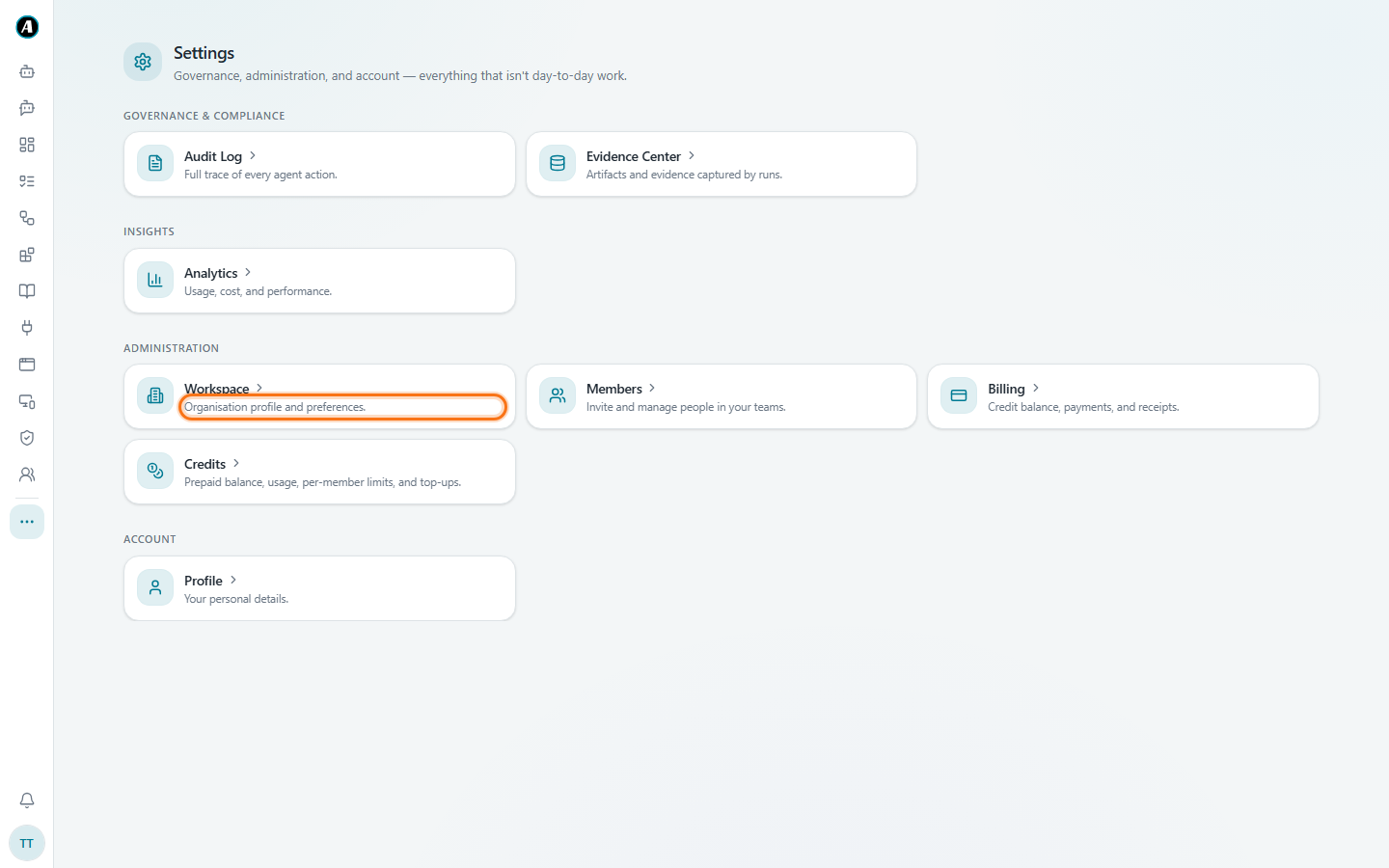
Settings brings together everything that isn't day-to-day work. Open it from the three dots in the menu.
What you'll find there
- Governance and compliance: the Audit Log and the Evidence Center.
- Insights: Analytics, with usage, cost and performance.
- Administration: Workspace, Members, Billing and Credits.
- Account: your Profile.
Some of these are for admins only, so you might not see all of them.
Your workspace details (admins)
Click Workspace to update your company's details.
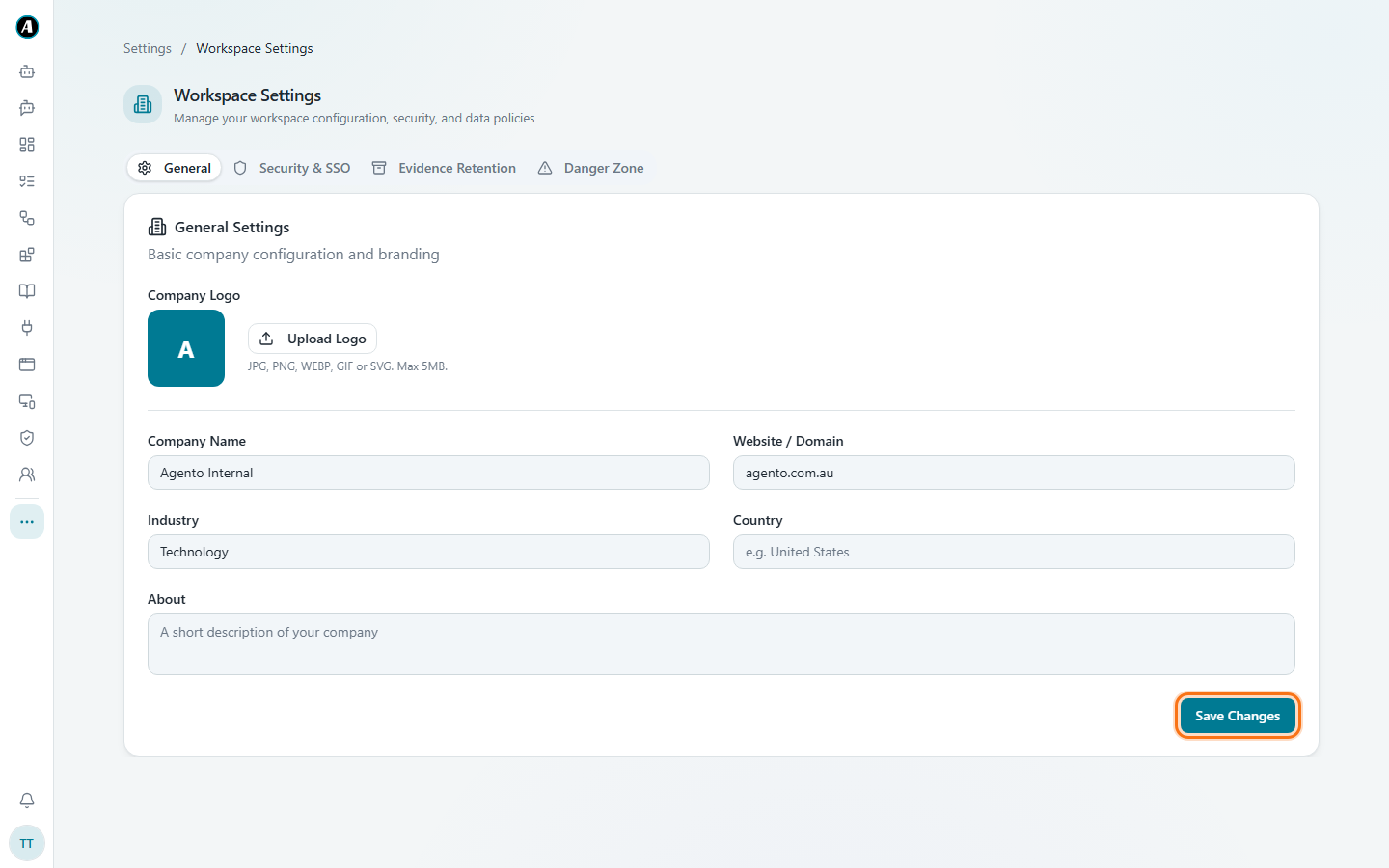
- Click Upload Logo to add your company logo. It appears around Agento for everyone in your workspace.
- Fill in your Company Name, Website, Industry, Country and a short About.
- Click Save Changes.
The other tabs at the top:
- Security & SSO: sign-in rules for your company.
- Evidence Retention: how long Agento keeps run records and files.
- Danger Zone: big, permanent actions like closing the workspace. Read carefully before clicking anything here.
Examples
- New company logo: open Settings, then Workspace, click Upload Logo, pick the file and click Save Changes.
- Keep records for seven years: open the Evidence Retention tab and pick how long run records are kept.
- See which workflows cost the most: open Analytics under Insights.